
There is no shortage of SEO tools on the internet. New ones pop up constantly, everyone has an opinion, and half the listicles you’ll find are either outdated or written by someone trying to earn an affiliate commission. This post is neither of those things.
These are the tools I genuinely use in my own SEO work — for my clients, for my own site, and for staying on top of an algorithm that never stops changing. Some are free, some are paid, and I’ll be upfront about which is which.
Start Here: Google Search Console
If you set up nothing else, set up Google Search Console. It is the single most important SEO tool available and it costs nothing.
Google Search Console is your direct line of communication with Google. It tells you which of your pages are indexed, which keywords your site is showing up for, how many clicks you’re getting from search, and whether there are any technical errors preventing your pages from being found.
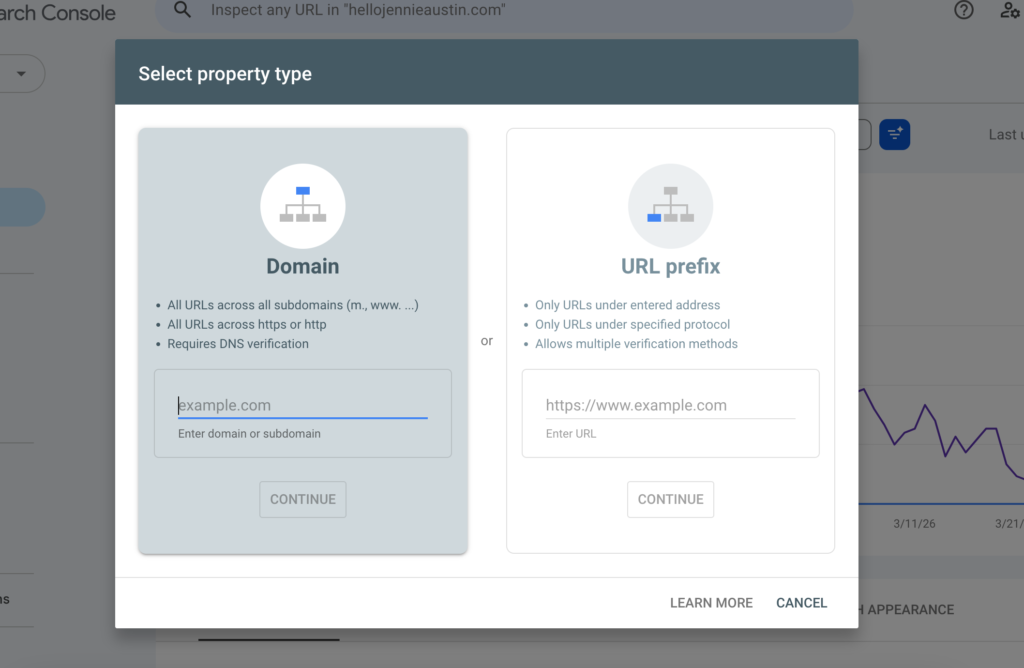
To get started, go to search.google.com/search-console and sign in with your Google account. Click Add Property and enter your website URL. Google will ask you to verify ownership of your site, usually by adding a small snippet of code to your site’s header or by connecting through Google Analytics. Your website platform will have specific instructions for how to do this.
Once verified, submit your sitemap. Your sitemap is a file that lists all the pages on your website and helps Google find and index them. It typically lives at yourwebsite.com/sitemap.xml. Paste that URL into the Sitemaps section of Search Console and hit Submit.
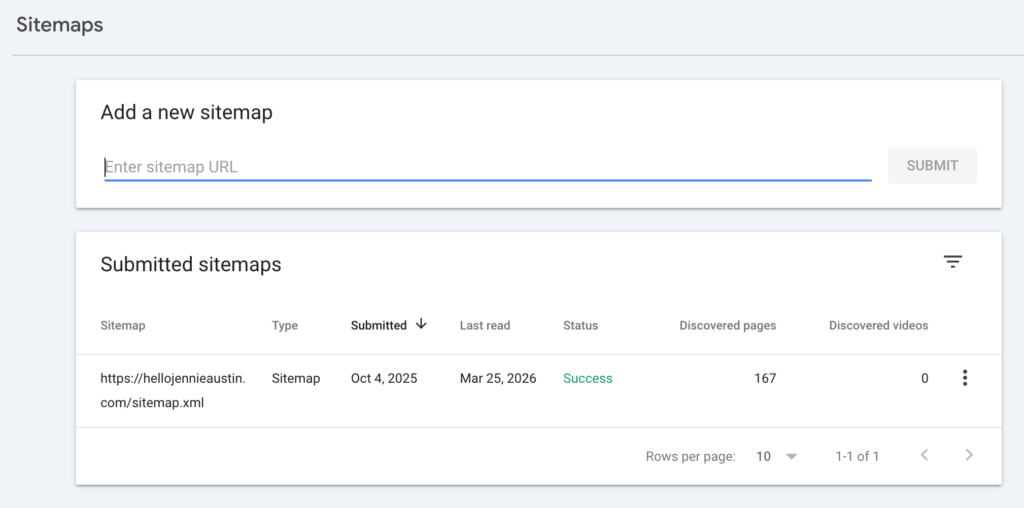
After a few days, Google will have your site indexed. Check the Pages section regularly to catch any errors that might be preventing pages from showing up in search results.
The reports you’ll live in most often are the Search Results overview (which shows your clicks, impressions, and average position over time) and the Pages report (which breaks that data down by individual page). These two alone will tell you an enormous amount about what’s working and what needs attention.
Bing Webmaster Tools
I know what you’re thinking. But hear me out.
Bing is back, baby! With AI tools like ChatGPT pulling search data from Bing’s index, your visibility there actually matters now in a way it didn’t a few years ago. If your site isn’t submitted to Bing, you may be missing traffic from AI-powered search results entirely.
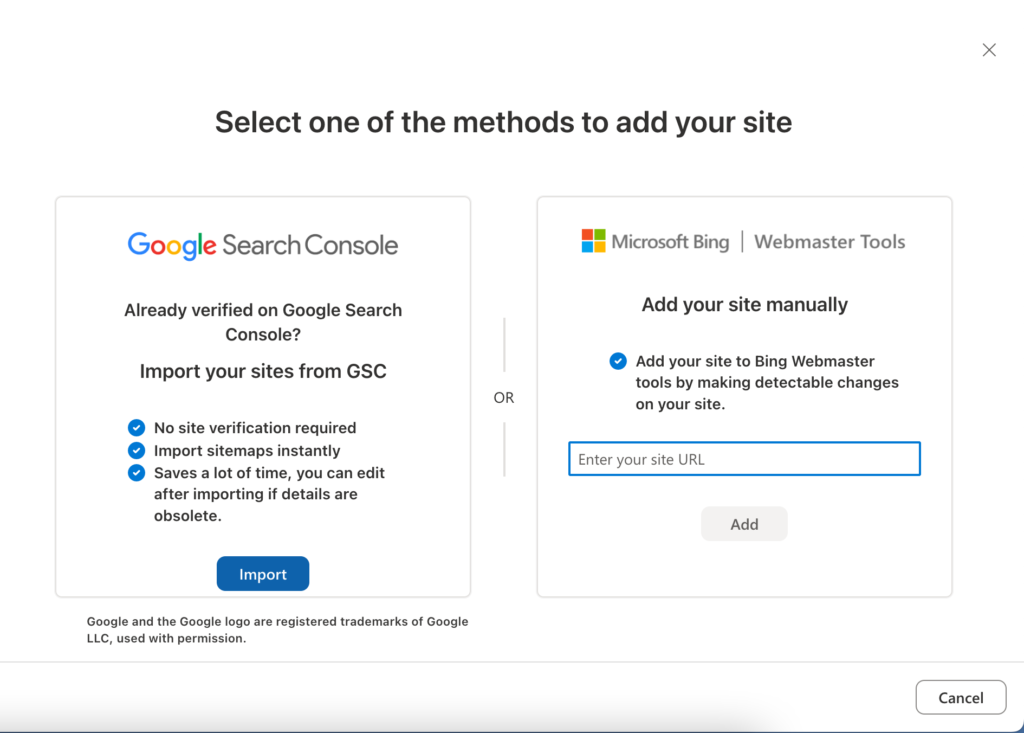
The good news is that setting it up takes about two minutes. Go to bing.com/webmasters, sign in, and import your property directly from Google Search Console. Bing will pull your sitemap and settings automatically. That’s genuinely it.
Google Analytics 4
GA4 is how you track what happens after someone lands on your site. Where Search Console tells you how people are finding you, GA4 tells you what they do once they get there — how long they stay, which pages they visit, where they drop off, and what actions they take.
For a full walkthrough of setting up GA4 and what to actually look at once you’re in, I have a dedicated post on this that covers everything step by step.
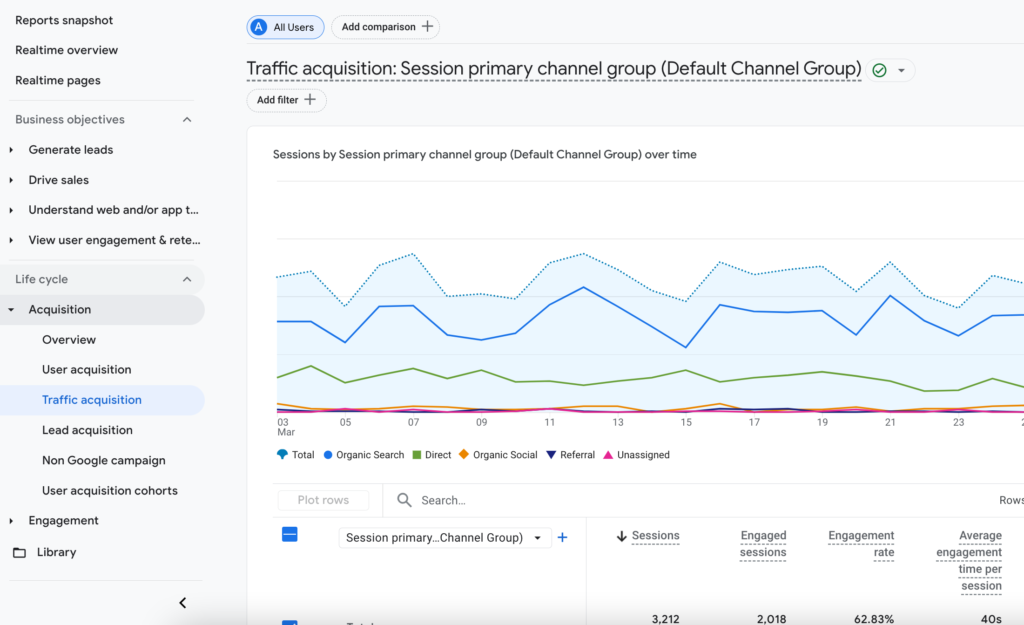
The short version: connect GA4 to your site, check your Traffic Acquisition report to see where your visitors are coming from, and keep an eye on your Engagement reports to see which pages are keeping people’s attention and which ones are losing them.
PagePulse
pagepulse.dev | Free and paid plans
This one is newer and I genuinely love it. PagePulse tracks every change you make to your website and maps those changes against your actual search performance data from Google Search Console and GA4. So when you update a page, add new content, or change a headline, you can see in the data whether that change helped your visibility and clicks or hurt them.
For anyone who has ever made a site change and then wondered for weeks whether it had any effect, this tool is a game changer. It removes the guesswork entirely.
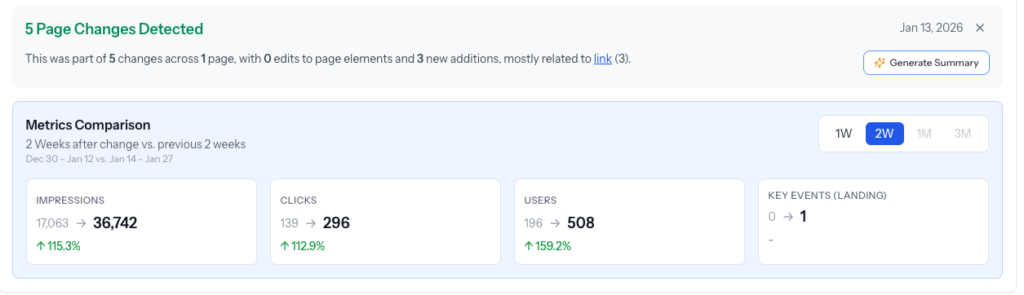
It integrates directly with both GSC and GA4, so setup is straightforward once you have those connected. The free plan gives you solid functionality to get started, and the paid plan unlocks more detailed tracking and historical data.
SEOGets
seogets.com | Paid plans
SEOGets takes your Google Search Console data and makes it significantly more actionable. If you’ve ever stared at the Search Console interface and felt like you were looking at numbers without a clear sense of what to do next, SEOGets solves that problem.
It surfaces opportunities you might miss in raw GSC data: pages with high impressions but low clicks that could benefit from a title or meta description update, keywords where you’re sitting just outside the top positions and could push with a small content update, and content gaps where you have ranking potential you haven’t fully tapped into yet.
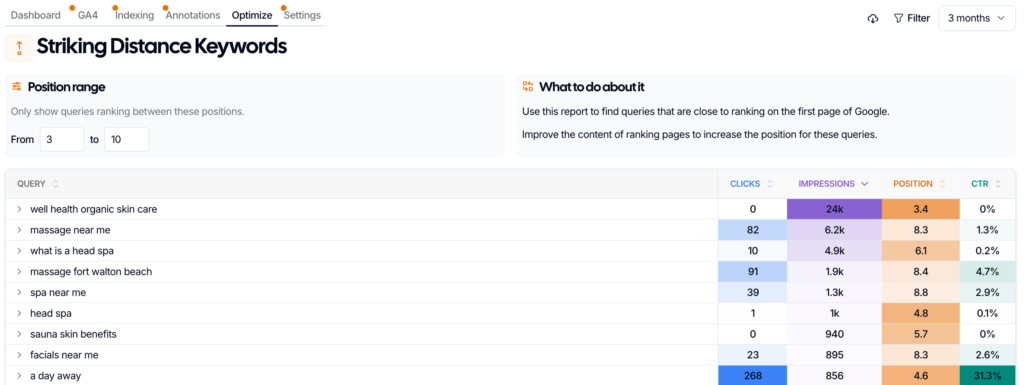
It’s a paid tool but worth it if you’re serious about acting on your SEO data rather than just collecting it.
SEMrush
semrush.com | Free and paid plans
SEMrush is my go-to for keyword research. Specifically, the Keyword Magic Tool is where I spend most of my time. You start with a seed keyword related to your business and it expands that into hundreds of related phrases, showing you search volume, keyword difficulty, and trend data for each one.
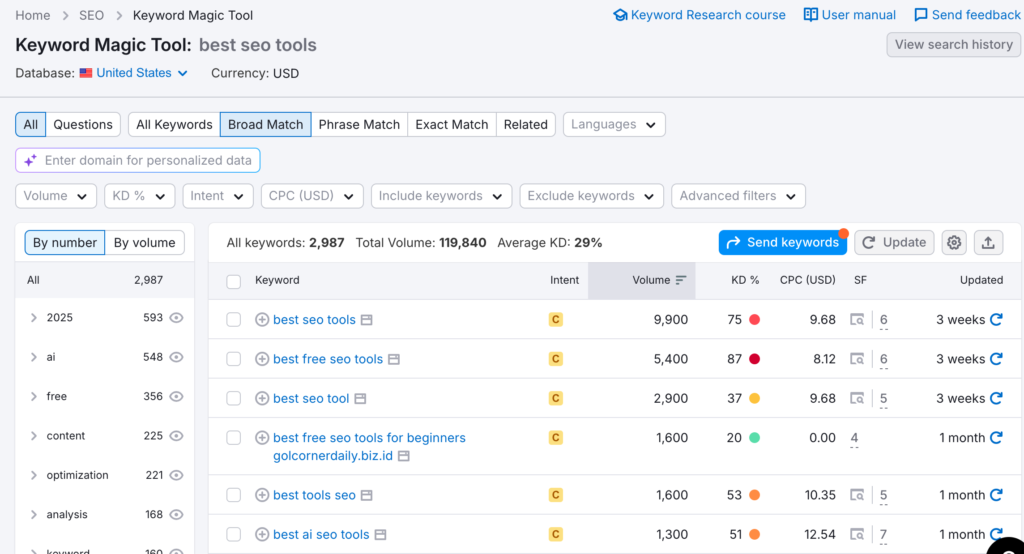
What I look for: keywords with a difficulty score of 60% or lower, decent search volume, and clear intent that matches what I want the page to do. Long-tail phrases (more specific, longer keyword phrases) are your best friend if you’re newer to SEO, because they have less competition and tend to attract more qualified visitors.
The Questions filter in the Keyword Magic Tool is especially useful for blog content. It shows you exactly what people are typing into Google as questions related to your topic, which makes for very targeted, high-intent content.
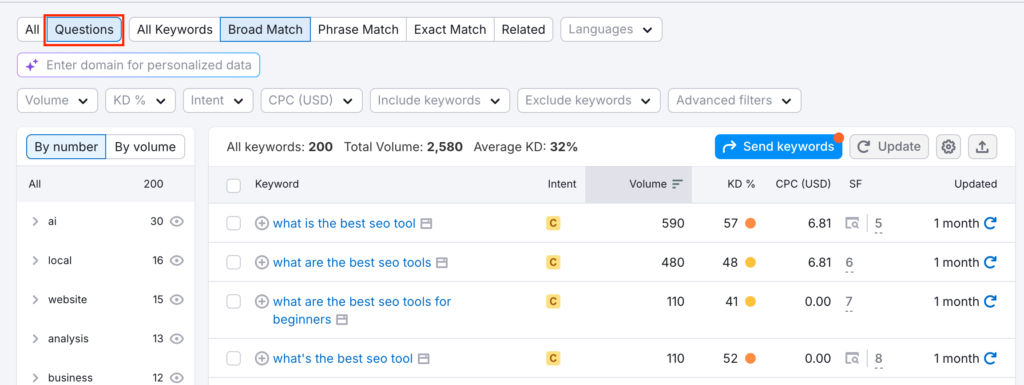
SEMrush has a free plan with limited daily searches, which is enough to get started. The paid plans unlock significantly more data and are worth it if content and keyword strategy are a regular part of your work.
Google Search Itself
This one doesn’t get enough credit as an SEO tool, and I use it constantly.
Before I create or optimize any piece of content, I search for the target keyword in Google and pay close attention to what comes up. Not just what ranks, but what type of content ranks. Is Google serving up blog posts? Service pages? Product pages? Videos? Reddit threads? The mix of results tells you a lot about what the algorithm believes users are looking for when they type that query.
This is called search intent, and it matters more than almost anything else in SEO right now. If you write a blog post targeting a keyword where Google is serving up product pages, you’re fighting an uphill battle no matter how good your content is. But if you write a blog post targeting a keyword where Google is already serving up blog posts, you’re playing on a level field.
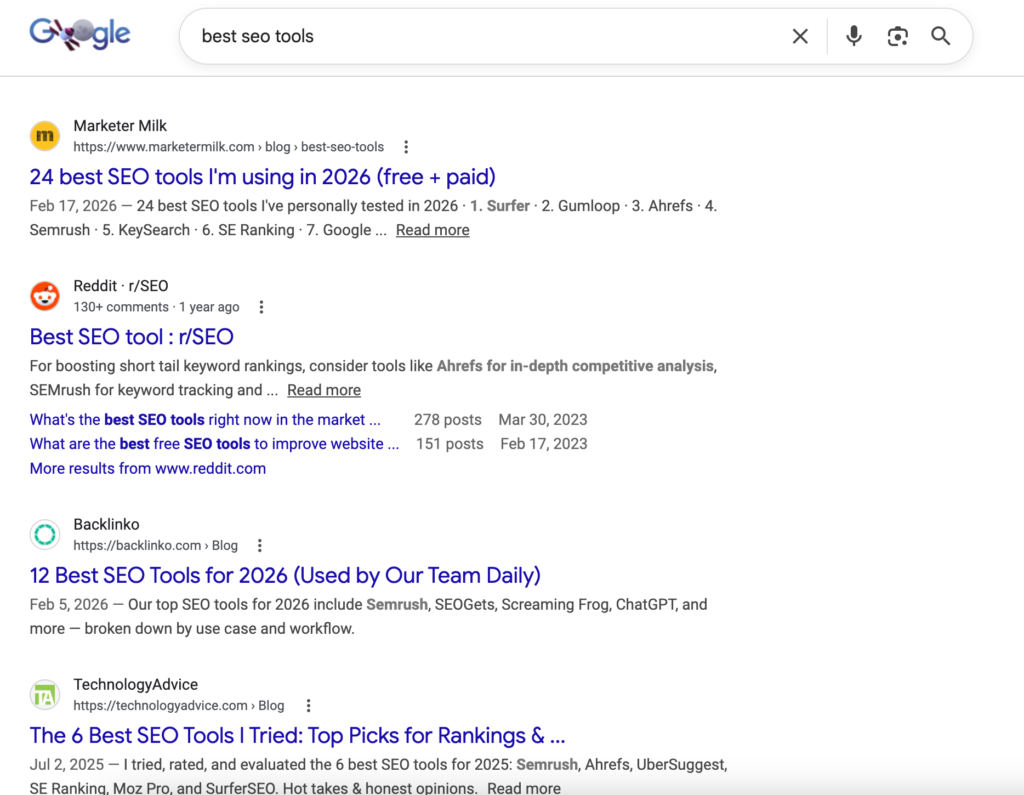
I also look at the People Also Ask boxes and related searches at the bottom of the page. These are essentially Google telling you exactly what else your target audience wants to know, which is free content strategy research.
Putting It All Together
You don’t need all of these tools running on day one. Here’s how I’d think about the order:
- Start with Google Search Console and submit your sitemap.
- Then add Bing Webmaster Tools while you’re at it since it takes two minutes.
- Connect GA4 so you’re collecting traffic data from the start.
- Use SEMrush for keyword research when you’re ready to start building a content strategy.
- Add PagePulse once you’re actively making site changes and want to track their impact.
- Graduate to SEOGets when you’re ready to get serious about acting on your GSC data.
The businesses that win at SEO aren’t necessarily the ones with the biggest budgets or the fanciest tools. They’re the ones that consistently show up, pay attention to the data, and make small intentional improvements over time. These tools just make it easier to know where to focus.
Good ideas are just the beginning.
Let's make something real out of them together.
